 ERP, CRM & accounting
Invite-only access
Authentication and customer identity options establish who can enter the instance.
- User sessions and personal access tokens
- Optional customer identity providers
- AI tools use configured access


Apps, portals and agents need more than a working connection. Turbobase brings identity, record access, audit history and release controls into the application foundation.
Start by observing. Use read-only access to map and analyze the environment, then enable specific actions as your team validates the need and controls. Trust grows with evidence, not with an all-or-nothing grant of access.
01 / SYSTEM FLOW
Turbobase mirrors permitted source data into a dedicated canonical model, adds technical and business context, and routes approved changes back only when write-back is enabled for that source.
Source identity, timestamps, and sync state.
Roles, scopes, tests, and release controls.
Permitted data is mirrored into your own application and database. Source systems remain the systems of record. Write-back begins off.
Approved changes can return only when write-back is enabled for the source. Supported actions still depend on the record type, permissions, and configured controls. A queued update is not confirmation from the source.
02 / CONTROL LAYERS
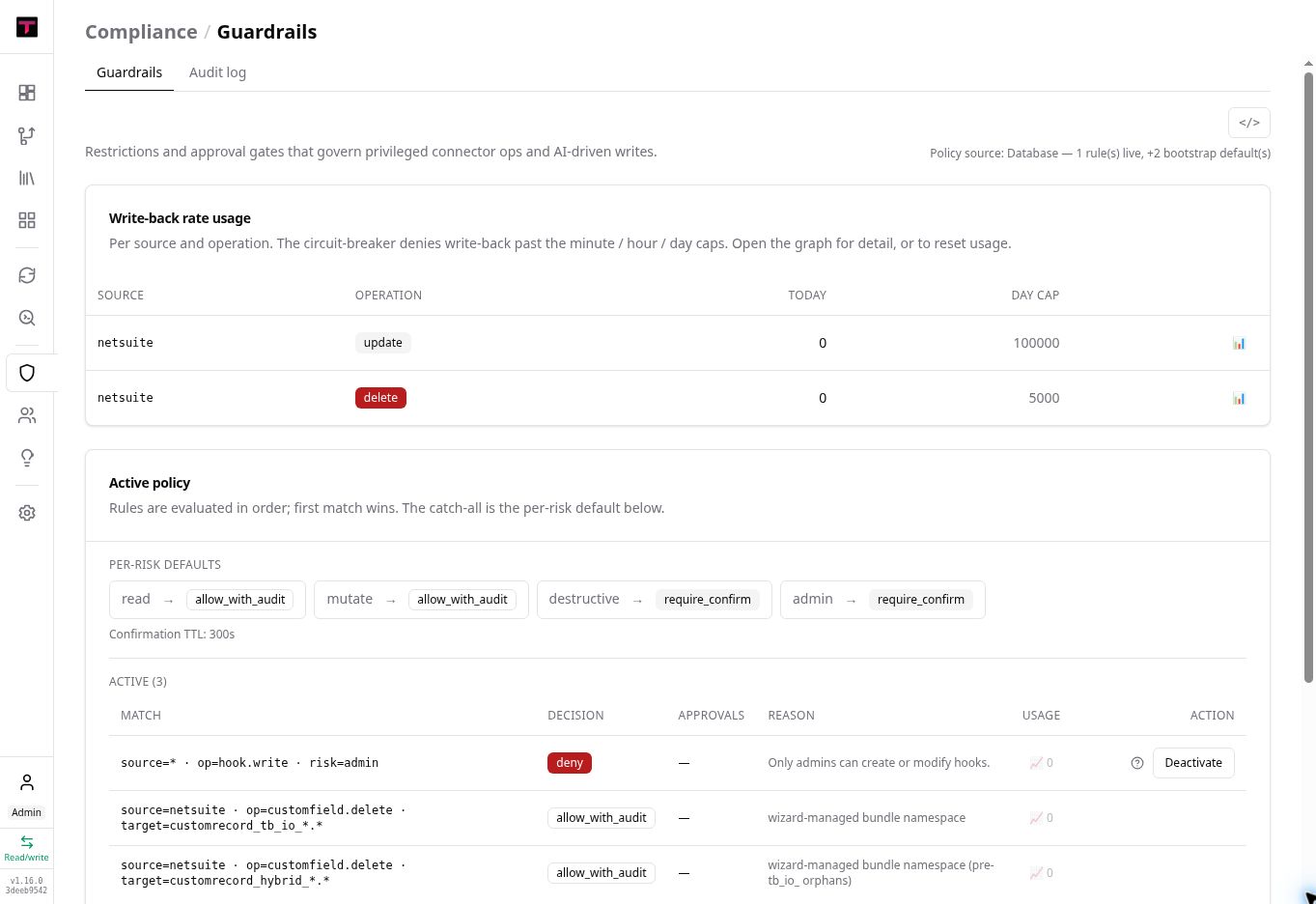
Set separate limits for what people can see, what apps can do and which changes can be sent back to the source system.
Authentication and customer identity options establish who can enter the instance.
Roles, capabilities and record-level scopes define access for users and applications. Administrative privileges and source write permissions are separate controls.
Reading data and changing it are separate permissions. Enabled writes pass through configured access checks, hooks, and guardrails.
Extensions can be linted, tested, replayed, and evaluated against isolated data before release.
Review deployment plans and diffs before promotion. Rollback has limits: restoring an app version does not undo every data change or external action.
Privileged operations, guardrail decisions, and sign-in activity create a durable record.
03 / CONNECTION REVIEW
Review each source connection with the people responsible for security, data ownership and the intended use. Confirm its access requirements and data-handling terms.
Define whether the work begins as a diagnostic, platform evaluation, or ongoing operating environment.
Include the source-system owner and the people responsible for security, privacy and approving the work as needed.
Document the approved roles, source scopes, credentials and initial read-only access.
Confirm the current hosting, processing, retention, AI-provider, and contractual terms supplied for the engagement.
Validate credentials, source health, synchronization behavior, and the evidence available for the agreed scope.
Confirm regional hosting, processing, retention, and data-residency requirements against the technical documentation and contract for your engagement.
04 / CURRENT BOUNDARIES
Review the current capabilities and limits for MCP access, source write-back, conduits, automated actions, and connectors.
MCP can read permitted records and perform supported writes. Writes require the instance setting and permission on the user’s connection or access token, plus the relevant record and source controls. MCP access guide ↗
Supported changes pass through configured controls before they are queued for the source. Check the write status to distinguish pending, blocked, and confirmed outcomes. Xero is read-only.
Conduit authoring and execution are shipped. Configure the records, transformations, supported targets, and failure handling for your workflow. Conduit guide ↗
Configured hooks, conduits, and processes can run automatically. Agree which actions are allowed, which need human review, and how failures are handled; a person does not confirm every automated step.
Confirm connector availability and supported operations for your environment before planning an integration.
Your team configures source credentials, application access and the policies that govern supported actions. Review the boundaries at both the source and application level.
No. Connections begin read-only. Supported writes are enabled separately and remain subject to the configured permissions and controls.