Up to your neck
in system requests?

Map the systems and dependencies behind the backlog. Then build apps and automations with shared data access, controls and a runtime already in place.

A realistic octopus juggles calls, paperwork, parcels and controls at a warehouse counter.

You shouldn't have to be
the answer to everything.

A request rarely stops at one system. Trace the customizations, connections and business rules it depends on, then give the build that context.

A sloth waits as paperwork overflows a stalled belt, then celebrates beside cleared rails and full trays of completed work.

Stop working around the same problems.

Find out what’s happening.
Follow the records across systems. Understand the process around them, including the exceptions people handle by hand.
Fix what isn't working.
Connect the missing information, improve a handoff, or build an app around the way the work should happen.
Give your team the ability to do more.
Give colleagues an app backed by the same connections and access controls. Each useful capability frees your team to tackle the next problem.
See how the tools work together →

System mapping

Know what a change
will touch.

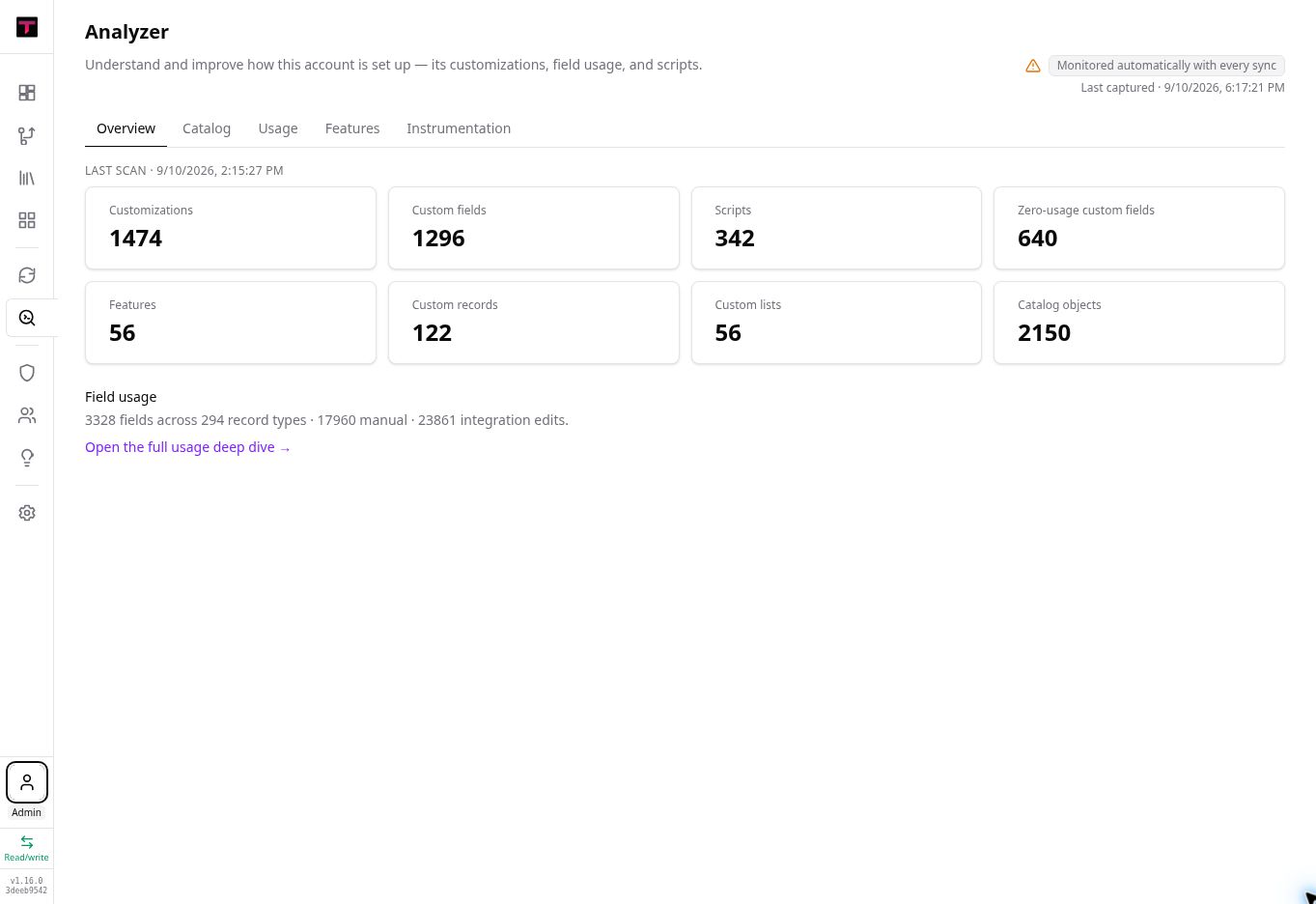
Document an entire environment: customizations, scripts, fields and dependencies. Bring that map together with your connections and business knowledge.

Trace the cause of a failure. Assess an upgrade’s impact. Identify what depends on a customization before retiring it.

Explore system mapping →
NetSuite Analyzer showing customizations, script origins, source bundles, usage and upgrade labels.
NetSuite Analyzer · Customization catalogActual product · Demo data

App development

Build on the business
you already run.

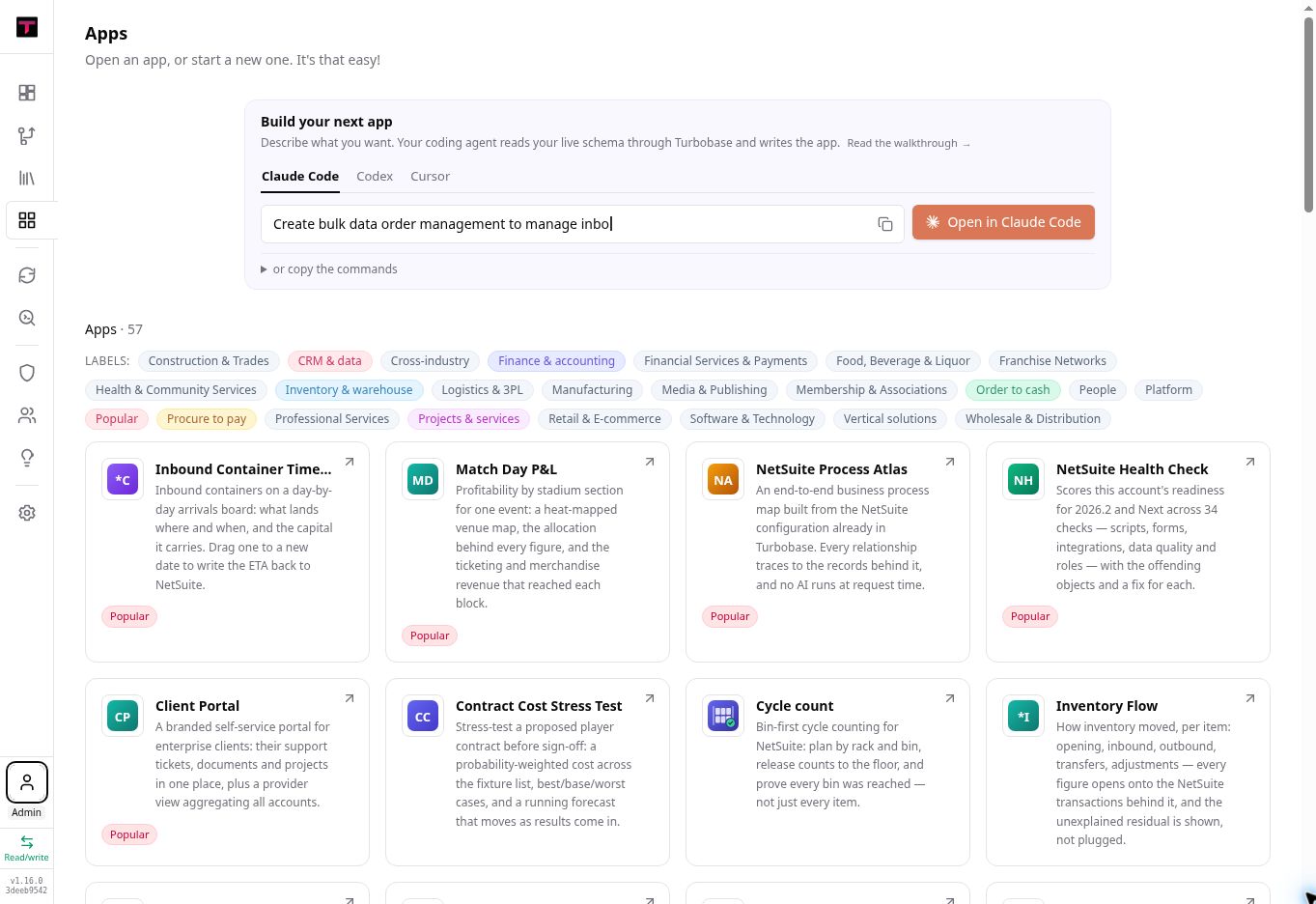
Give Claude Code or Codex permitted records and the policies and technical evidence in your Enterprise Context Layer. The build starts with the context of your business.

Turbobase supplies the shared sign-in, data access and runtime. Your team can focus on the workflow instead of rebuilding that foundation for every app.

Explore apps →
Turbobase Apps showing the app builder, coding tool choices and existing business applications.
Apps · Build with your coding toolsActual product · Demo data

Release control

Know what’s live.
Trace what changed.

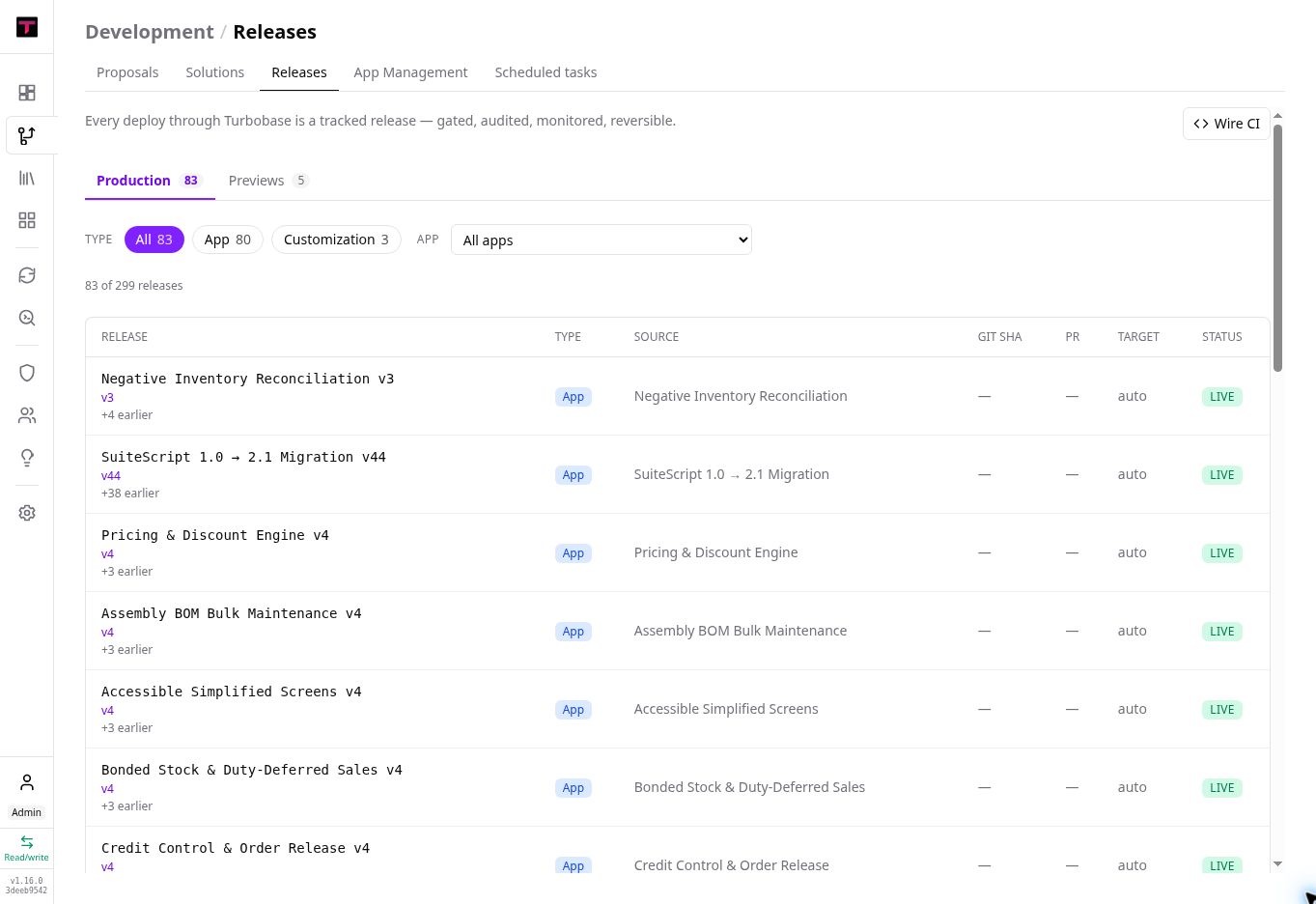
Keep app versions, source references and deployment status in one release history. See the live version alongside the releases it superseded.

Compare release health with its baseline. Use the version and deployment history to investigate regressions before the next change.

Explore release control →
Turbobase Releases showing app versions, source references, release status and deployment history.
Releases · Version and deployment historyActual product · Demo data

More capability.
Across the business.

Keep the systems you depend on. Give people better ways to work with them.

Sales to delivery

Turn customer commitments into a clear handoff, with the scope, owner and next step in view.

Operations to finance

Bring orders, deliveries and accounting records into a review tool that helps explain what does not match.

One app to the next

Reuse your connections and business knowledge. Extend the first useful tool instead of starting another isolated project.

TRG

IN THEIR WORDS

“You asked me at three o’clock what feature I would like to see... and by the time we got on the call, you had it already. That was really impressive.”
Sam Gross · CFO · Twin River Group
“Honestly, I didn’t think anything like this could be built.”
Brenton Smith · NetSuite Administrator · Twin River Group

Questions worth asking.

Can we investigate more than one system?

Yes. Scope the investigation around the process and its dependencies, then connect the available sources. Depth depends on the records and metadata each platform exposes.

How does team knowledge become part of the build?

Publish the operating context alongside connected system data: business rules, exceptions and the reasons behind existing decisions. AI tools and developers can use that context when building.

Can we review a change before release?

Yes. Test with representative data and the team responsible for the process. Configure the required permissions and approval policies before enabling production actions.

What’s been on your list too long?

Talk to us →