NetSuite and Stripe are available by default. Other connectors require enablement. Record coverage and write-back vary by source.
How Turbobase works, step by step
Product screens show representative demo data.
Step 1 of 4
Understand how your business runs.
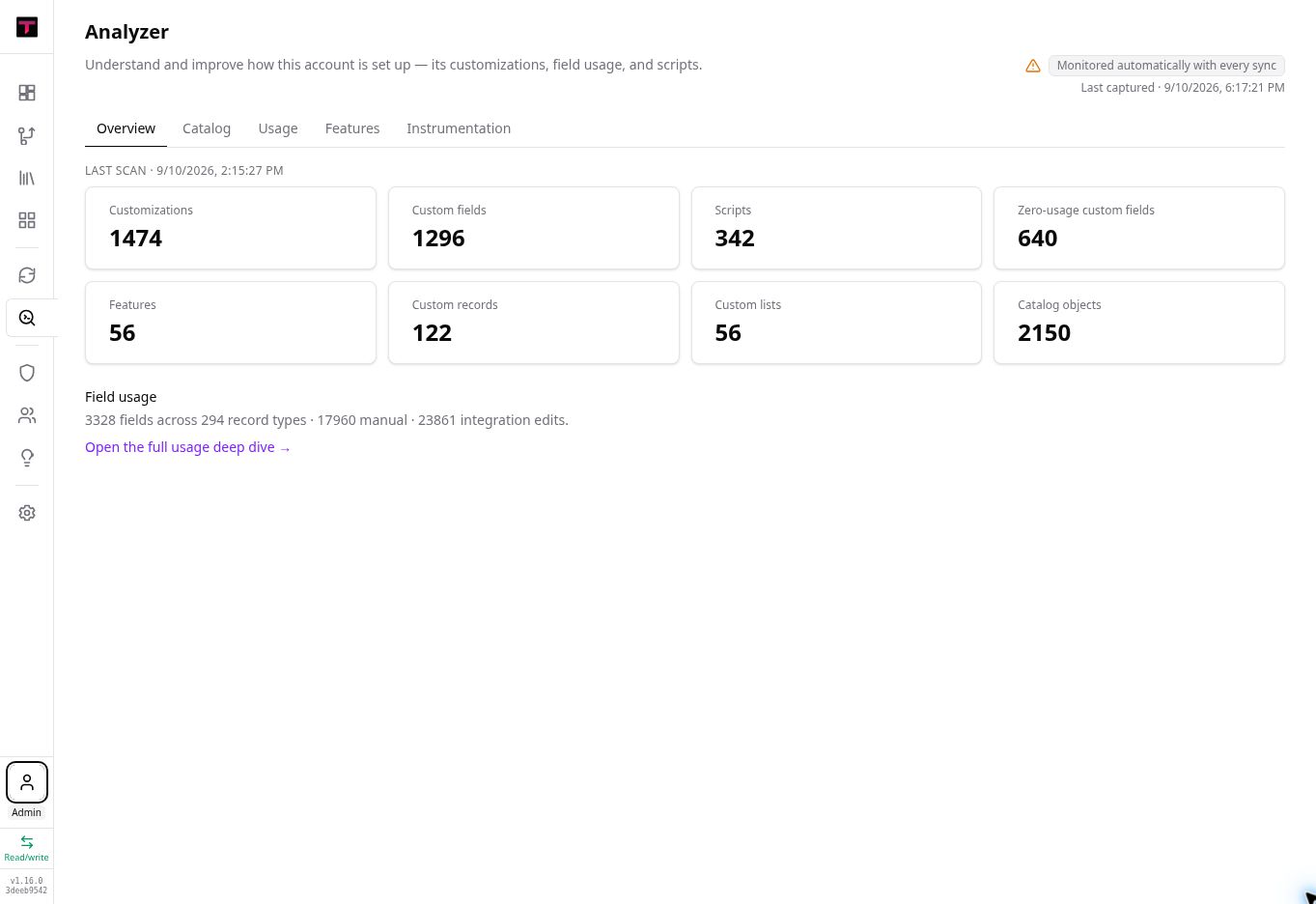
Across your systems, Atlas matches records for the same customer or order. The Autonomous System of Record (A-SOR) preserves those relationships. Use Analyzer to inspect the customizations in your NetSuite account.
The catalog lists the script name, type and origin. Here the origin is Bundle. Open original ↗
Step 2 of 4
Build an app around a recurring task.
Start in Studio with a job your team already does. For finance, that might be matching incoming payments to invoices. The TB Logic Core brings the connected records and finance team’s matching rule into the build.
Follow one payment through Zero Close. Change its amount to see where the agent can finish the job and where a person takes over.
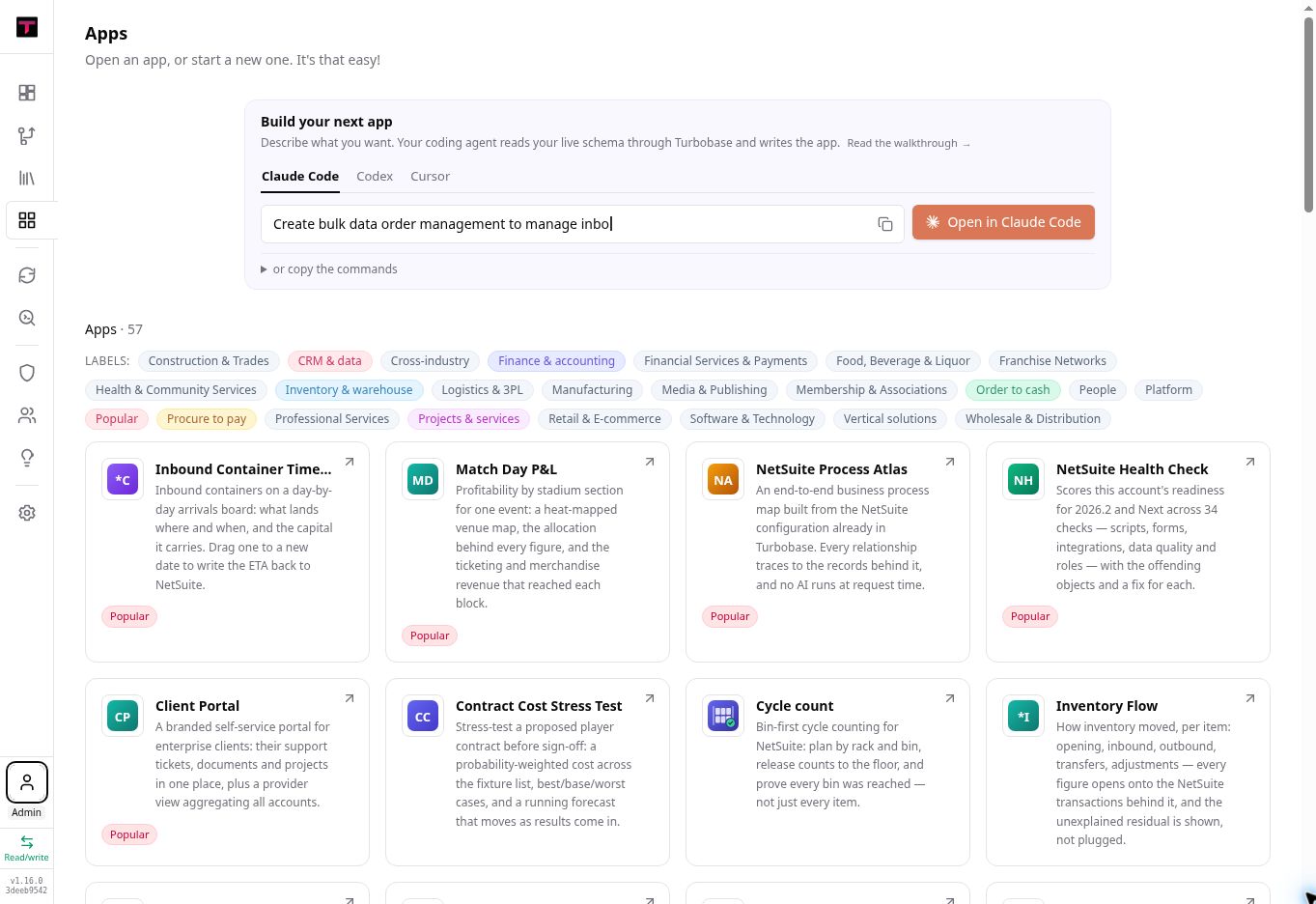
The request is entered with Claude Code selected. This capture shows the prompt before submission. Open original ↗
Step 3 of 4
Give the next app a head start.
The Enterprise Context Layer makes your policies and procedures available to each new build. A stock worklist and a customer portal can draw on that knowledge and reuse existing records and permissions.
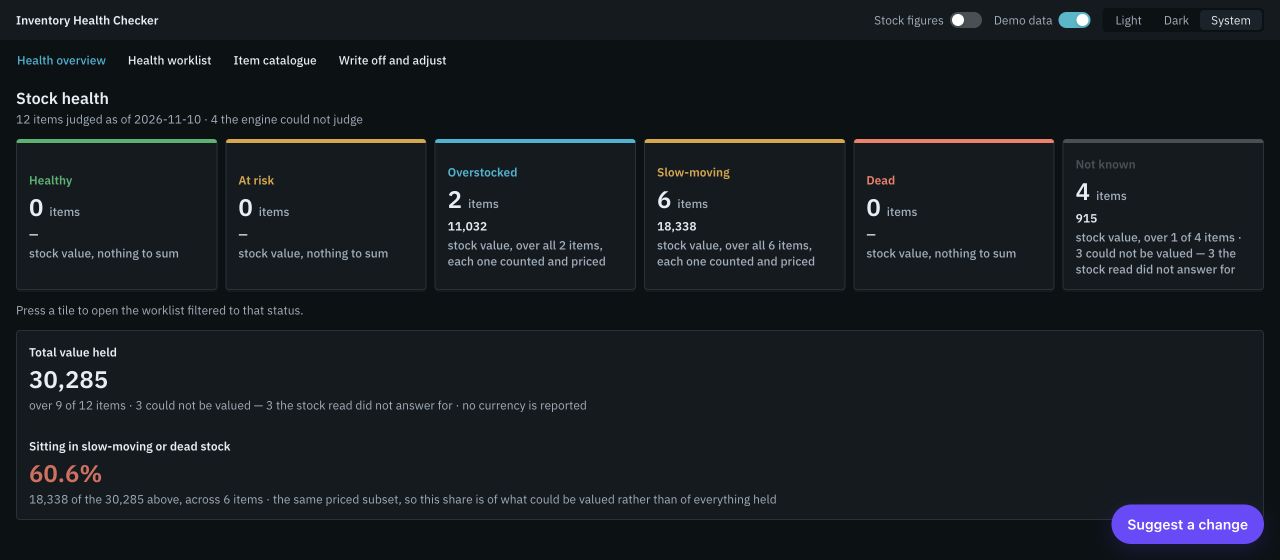
Inventory Health Checker
The inventory app groups items by stock condition. A planner can select a group to open its filtered worklist. Open original ↗
Step 4 of 4
Release and support the apps your business uses.
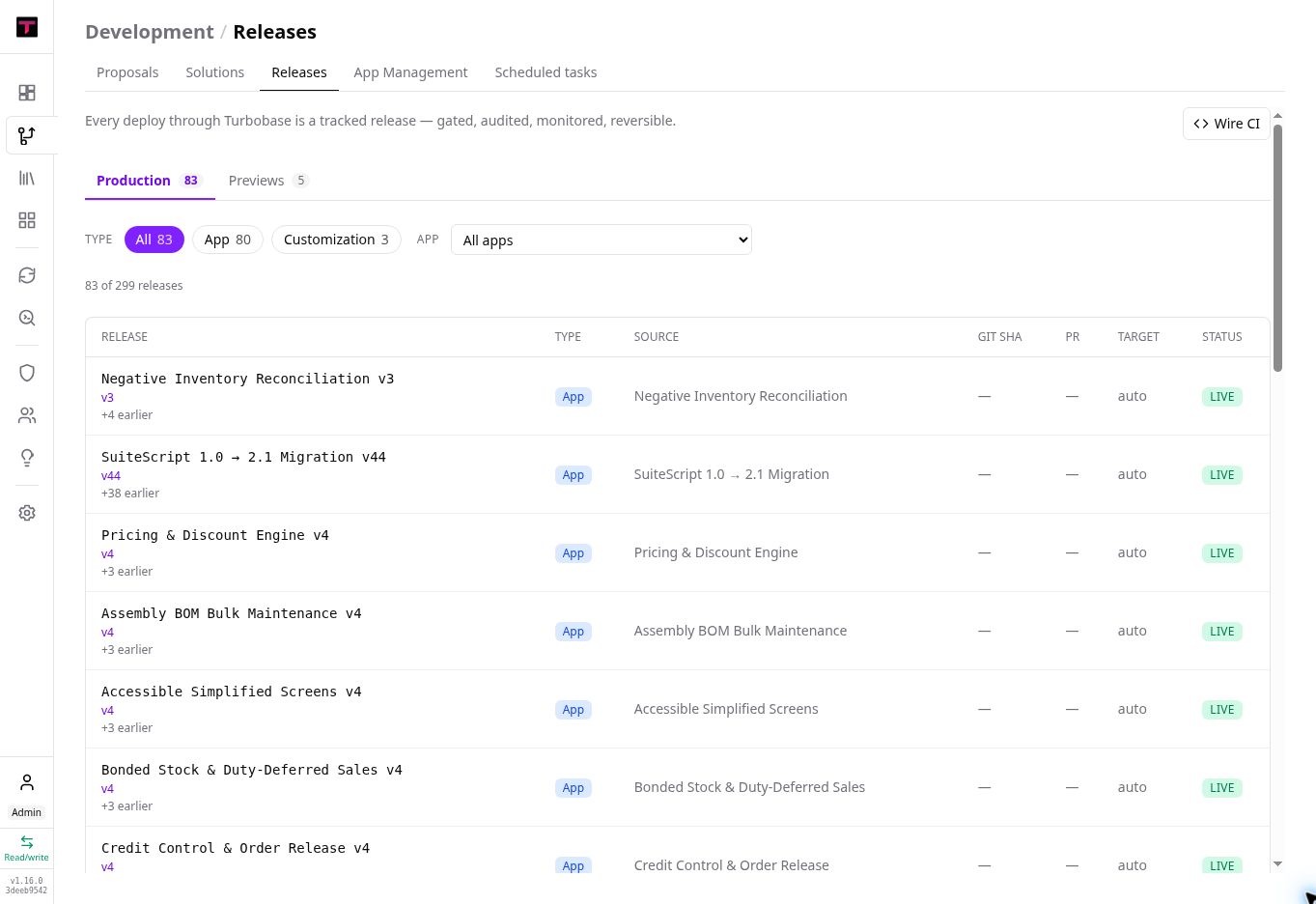
As your team makes improvements, Releases shows which version is live and what it replaced. Monitor the effect of a change and roll it back when needed.
With Inventory Health Checker selected, version 106 is live. Earlier versions are marked superseded. Open original ↗
Explore the platform behind your apps
Follow a payment from a source system to a Zero Close app. The TB Logic Core connects records with business rules. Apps and agents use that context within the permissions your team sets.
Platform capabilities and deployment
From “could we?” to “we can.”
A schema tells you how records are stored. Customizations, workflows and operating knowledge explain how the business runs. Bring both into the build.
Find what the change will touch.
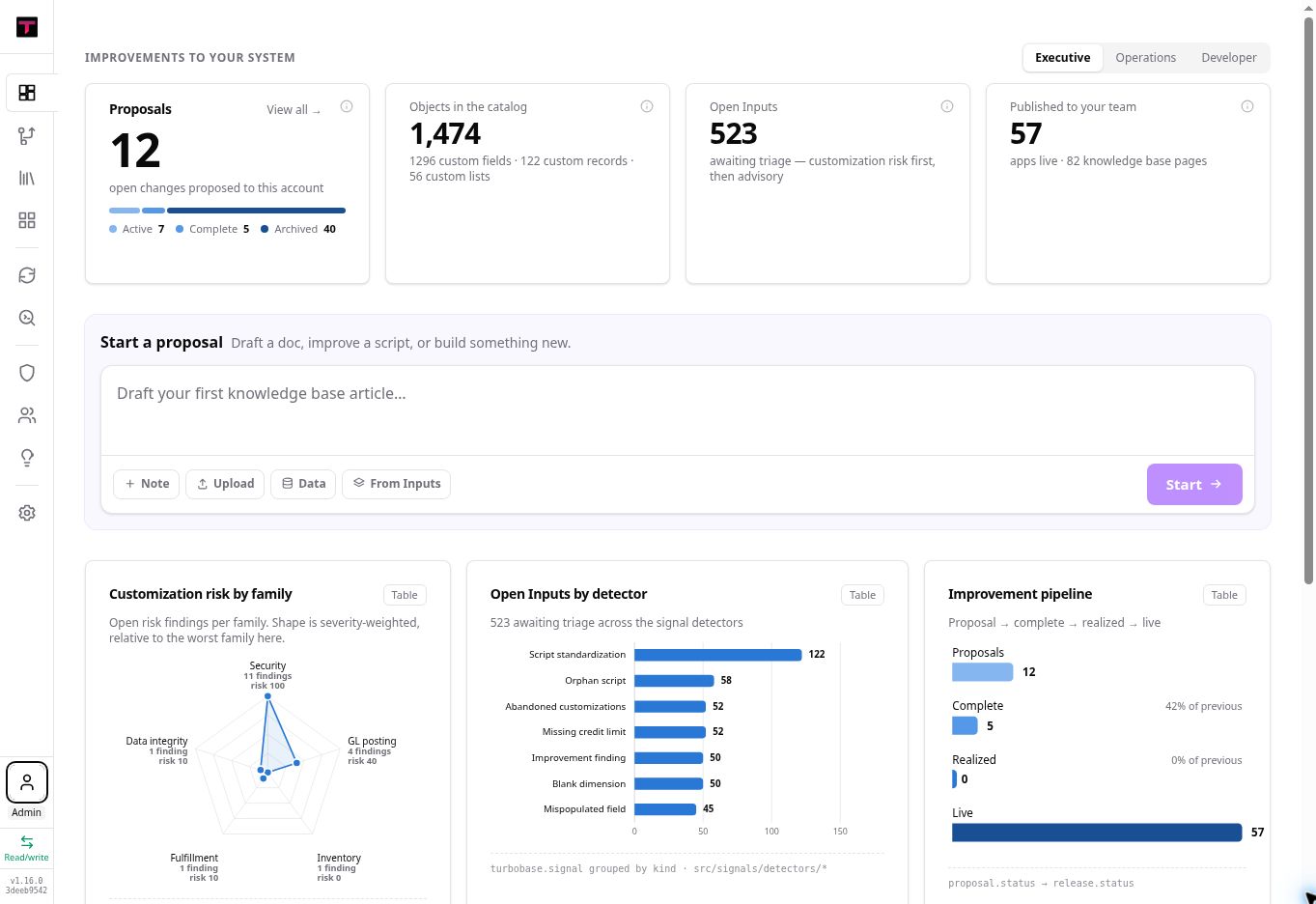
Map the configuration, customizations, scripts and dependencies behind a proposed change. Combine that evidence with your team’s knowledge of the process to establish what needs to happen.
Executive brings the proposal, supporting inputs and unresolved questions together. Complete the agreed scope; route subsequent changes through a change request.
Use your own code, Claude Code or Codex. Turbobase supplies connected records, published knowledge and reusable skills alongside authentication, APIs and hosting. Development stays focused on the application’s behavior.
Put development effort into the capability.Explore apps
Apps · Actual product, demo data
Know what changed. See what it affected.
Retain the version, source and deployment history. Compare a release with its baseline and surface missing evidence, so the team can investigate before treating a change as healthy.
Connect the systems you run. Build the capabilities you need. Turbobase gives developers and AI tools a shared foundation of business context, connected data and controlled actions, so every app starts further ahead.
Build it, own it, run it anywhere
Keep your source code and access your database. Run on Turbobase or take the application elsewhere. A move includes the data, services and connections the app depends on.
Start with one problem.Expand on your terms.
Begin with a read-only view across systems. Enable selected write actions when the workflow is ready. Your team can keep working in its existing tools while each new app reuses the same connections, context and controls.
Build with your team. Run on Turbobase.
Keep development focused on your business logic. Use the platform for the foundations every application needs.
Yes. The people who understand the business can define requirements and test the result. Developers and AI coding tools use the same catalog, published knowledge and permitted data to build the application.
Yes. Partners can build and support apps, offer a customer platform, and develop services around it. App ownership, modification rights and support responsibilities are agreed for the offering.
Yes. Tools such as Claude Code and Codex work with Turbobase context and APIs. A coding tool is distinct from the model provider it uses; model access and usage are part of your chosen setup.
In Turbobase, with Slack available as an optional participation channel. Whether an action needs approval is a policy decision, separate from the channel used to review it.
It depends on the systems, data, AI usage and workload involved. We’ll work through the platform, delivery and support requirements with you.
Connections begin read-only. Your team chooses when to enable supported write actions and which records, permissions and controls apply.