Inherited complexity.
Reconstruct the configuration, custom logic and ownership that documentation no longer reflects.


Map the systems, customizations and connections your business depends on. Trace the cause of a failure, assess the impact of a change, and identify where to invest next.
Across your ERP, CRM, finance and operational platforms, Turbobase brings system evidence and business context into one diagnostic view.

A failed process may involve a source record, a customization and a downstream integration. Diagnose the chain before commissioning another fix.
Reconstruct the configuration, custom logic and ownership that documentation no longer reflects.
Trace dependencies and exceptions across the systems involved, rather than treating each incident in isolation.
Identify the processes, integrations and downstream consumers a release or replacement could affect.
Distinguish a configuration gap from missing capability. Establish whether to repair, retire, extend or build.

NetSuite Analyzer catalogs scripts, fields and customizations, then exposes usage and dependencies to support the next decision.
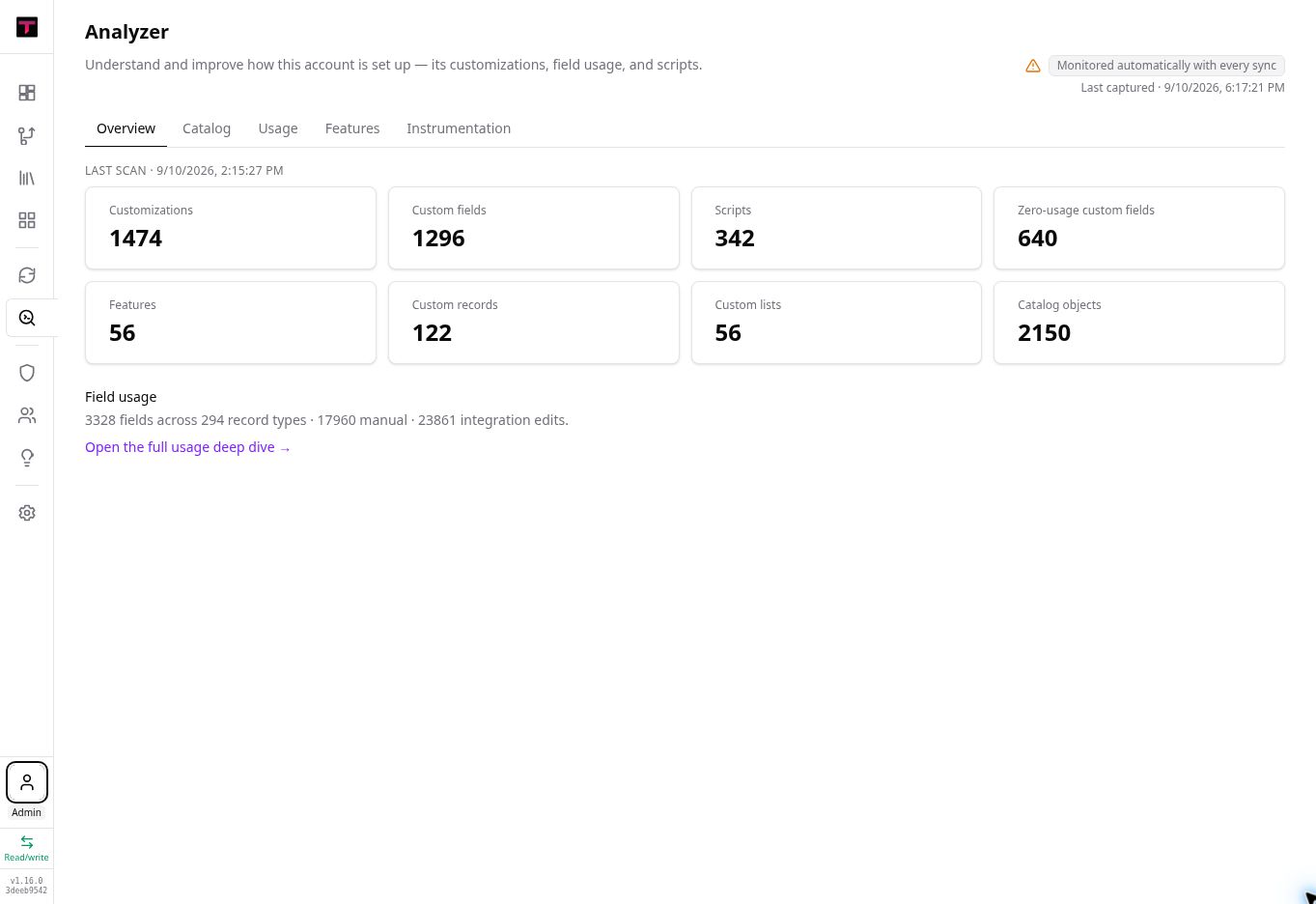
Compare what the systems actually do, what your team understands about the process, and what the business needs next. The gaps between those views define the work.
Start with the business question. We agree the systems, available evidence and access required to answer it.
Identify the process, systems and decision owners. Confirm the diagnostic coverage available for each source.
Bring approved records and metadata together with configuration, documentation and your team's knowledge. Source access starts read-only.
Map dependencies and investigate the failure or proposed change. Review findings with the people responsible for the process.
Separate confirmed findings from open questions. Agree the action, owner and evidence needed to verify the improvement.
A diagnostic does not enable upstream changes. Access is scoped to the sources and records agreed with your team.
Any subsequent write-back requires separate configuration, permissions and approval.
Review security and controls →